Mapping
How the mapping was done
This page is centered on the mapping process: the methodology, the code, the data, and all of the issues that arose during the project. As is common in digital humanities, this work fits into the lineage of “failure studies”; however, there are great bones to this project, and the core problem can be summarized simply as “unclean data.”
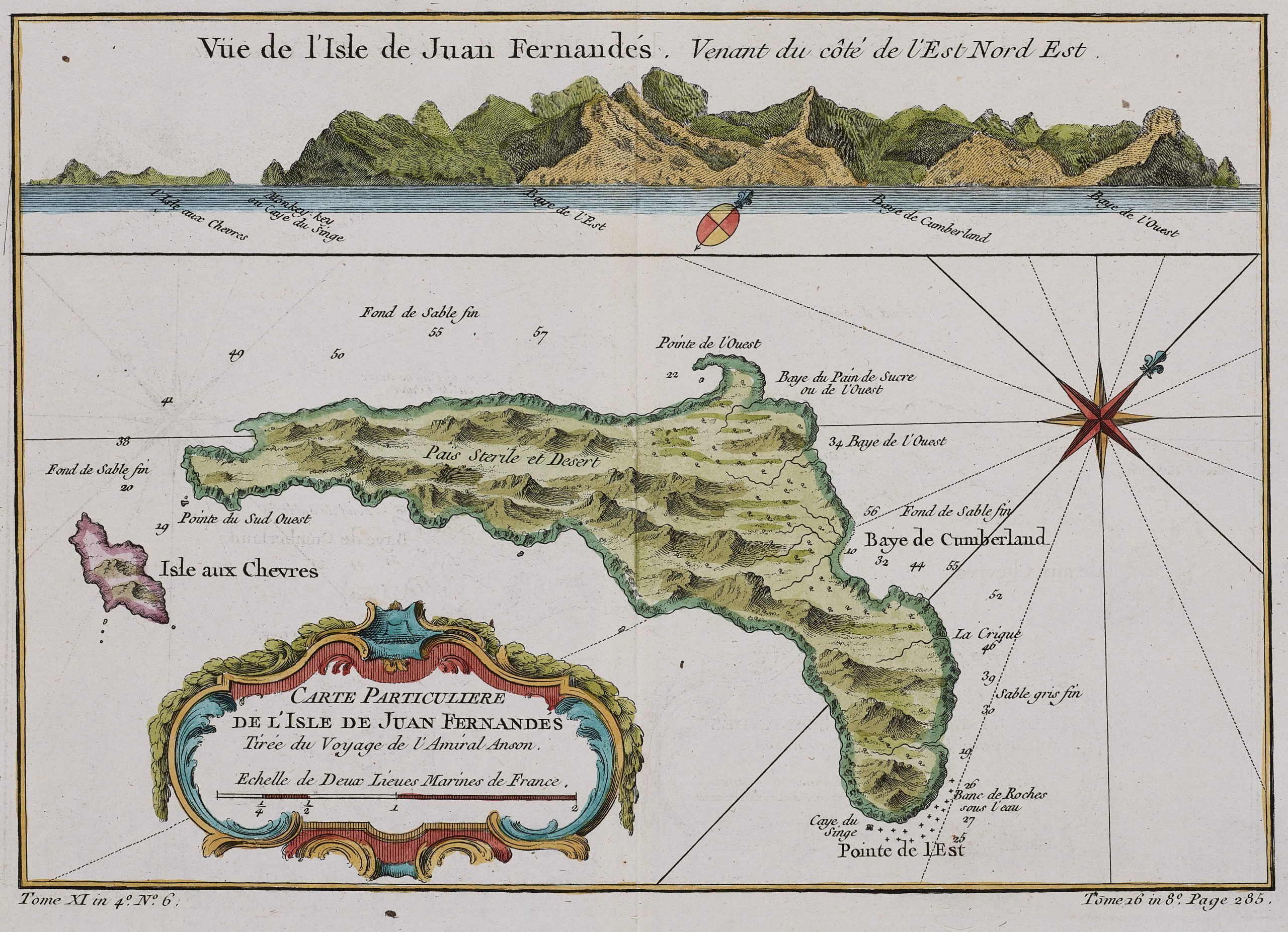
Methodology
The methodology for this project adapts the method described by Gabay and Vitali in their 2019 paper “A Theatre of Places: Mapping Seventeenth-Century French Theatre.” The first step was to build a small corpus. There are no fixed rules for corpus size, but Reppen notes that as long as a corpus captures “enough of the language for accurate representation” and can answer the research questions, it is sufficient (Reppen, 2022, p. 14). For this project, I use the full text of Robinson Crusoe together with four additional travel narratives. Taken together, these texts provide enough data to make a claims about whether there are geographical and travel similarities with Robinson Crusoe, while not attempting to represent all travel accounts ever. Following Gabay and Vitali’s emphasis on a clean corpus, I worked with plain-text editions from Project Gutenberg so that the automatic extraction and mapping pipeline would not be confused by markup or poor OCR.
I also implemented a spelling normalisation step using pyspellchecker, which works token by
token. Because regularisation is so finicky with historical language data, I designed the function to be
extremely conservative. any word that begins with a capital letter (including non-standard spellings of
names and places) was forbidden to the code. Only lower-case forms are candidates for correction. As someone
coming from Old English studies, I am very aware of the risks of over-aggressive lemmatisers and
tokenisers, so preserving capitalisation was essential.
The core of the workflow is Named Entity Recognition (NER) and gazetteering. Using spaCy’s
English model (en_core_web_sm), I run NER over the original text of each file and collect all
entities with labels in {GPE, LOC, FAC} as candidate locations. For each candidate I stored the filename,
the order it appeared, the character start and end finsih, and its latitude and longitude. All of this
information was written
in a single CSV file, which functions as a gazetteer, which is a fancy word for a geographic index.
The next step is geocoding. I use the Nominatim service (OpenStreetMap) with geopy to assign
coordinates to each place string, with a small cache to avoid repeats Fictional places are
handled separately: I maintain a list of names such as “Brobdingnag” and “Glubbdubdrib” and assign them
fixed coordinates on a single “fictional island” so that they appear on the map but are visually distinct
from real-world locations. This follows Gabay and Vitali’s strategy of hand-coding difficult
or non-real places. There is a whole literature about handelling fictional places in mapping, but for simplicity,
I decided to just stick with Gabby and Vitali's methodology.
From the gazetteer, I started playing around with movement. Using the order index in each text, I built a separate csv file that simply links one place to the next in reading order. I then used Folium to draw lines between those points, so each narrative turns into a kind of path across the map. At one point I tried to put all of these lines on at once to make a big web of connections. It did work, but the map quickly to noisy and I had to remove them (much sadness).
I did not want to use any map; I wanted to use a map that would be semi-time accurate and so I picked the 1790 Cassini world map. This was a great decision when considering the design of the project, but the computer did not agree at first. The original Cassini file needed to be converted and resized. Then the geographic boundaries had to be set by hand, and I spent a lot of time tweaking the image.
The Problem
The biggest problem was the data. After processing the text files and separating just the locations out I had 13673 locations to work with. This is not a lot of data for a corpus linguistics study but it is quite substantial for a mapping project and a digital humanities project that is attempting to intervene with a literary argument. As the maps stand, they are not authoritative enough that one can answer the research question that was posed. If the data was more organized and the user could be certain that the locations were accurate, then they could be used. But this is not the case.
It also came to my realization far too late in the game that the model would not just take out the locations that the characters visited. It would take all locations mentioned, even the ones that were never visited. This can explain many of the strange location dots on almost all of the map. As for the other strange locations, there could be a few factors contributing. The capitalization in 18th century literature could be one of them. On Project Gutenberg there less "random" capitals then in the more faithful editions, but there are still some. There also could be a name mentioned that happens to be the same as a town or a village. Ultimately. it is hard to trust the map without having a careful human reader verifying the NER's work.
The last and least devastating problem for this project is the access to clean txts of the primary sources. As some of the potential sources for Robinson Crusoe are semi-obscure and less well documented than others, it makes sense why finding a clean version is difficult. Nevertheless, we must endure.
Code
Please enjoy exploring this code. It is a copy of the original notebook, which was created in Google Colab with guidance. See the acknowledgement section for more information. You are welcome to download the code, but it will most likely not work straight out of the box, as it is meant to be run in phases.
Download full mapping script (.py)
# ============================================
# 0. Install required libraries
# ============================================
!pip install pyspellchecker
!pip install spacy
!python -m spacy download en_core_web_sm
!pip install folium

# ============================================
# 1. Imports
# ============================================
import os
import re
import csv
import json
import folium

import spacy
from spellchecker import SpellChecker
from geopy.geocoders import Nominatim


# ============================================
# 2. Config
# ============================================
spacy_model_name = "en_core_web_sm"
place_labels = {"GPE", "LOC", "FAC"}

input_folder = "/content/workdir/input"
output_folder = "/content/workdir/output"
os.makedirs(output_folder, exist_ok=True)

csv_path = os.path.join(output_folder, "locations.csv")

# fictional island for Swift etc.
FICTIONAL_ISLAND_LAT = 10.0   # change if you like
FICTIONAL_ISLAND_LON = -140.0

fictional_places = {
    "Brobdingnag",
    "Glubbdubdrib",
    # add more here
}

# ============================================
# 3. Load input .txt files
# ============================================
files_in = [f for f in os.listdir(input_folder) if f.lower().endswith(".txt")]

if not files_in:
    print("No .txt files in", input_folder)
else:
    print(f"Found {len(files_in)} file(s):", files_in)

# ============================================
# 4. Spelling normalisation
#    (skip capital words, so Sonning stays Sonning)
# ============================================
word_re = re.compile(r"\w+", flags=re.UNICODE)
spell = SpellChecker(distance=1)


def apply_case_pattern(src, tgt):
    if src.isupper():
        return tgt.upper()
    if src[0].isupper() and src[1:].islower():
        return tgt.capitalize()
    return tgt


def normalise_spelling(text):
    def fix(match):
        w = match.group(0)

        # do not change capital words (names, etc.)
        if w[0].isupper():
            return w

        lw = w.lower()

        # keep if known
        if lw in spell:
            return w

        corr = spell.correction(lw)
        if not corr:
            return w

        return apply_case_pattern(w, corr)

    return word_re.sub(fix, text)

# ============================================
# 5. Load spaCy model
# ============================================
print("\nLoading spaCy model:", spacy_model_name)
nlp = spacy.load(spacy_model_name)

# ============================================
# 6. Geocoder (geopy)
#    - timeout
#    - fictional names to island
#    - cache only good coords
# ============================================
geolocator = Nominatim(user_agent="historical_ner_geocoder")
geo_cache = {}  # place_text -> (lat, lon)


def geocode_place(name):
    """Return (lat, lon) for a place string, or (None, None)."""

    # cache first
    if name in geo_cache:
        return geo_cache[name]

    # fictional names first
    if name in fictional_places:
        coords = (FICTIONAL_ISLAND_LAT, FICTIONAL_ISLAND_LON)
        geo_cache[name] = coords
        return coords

    # real-world geocode
    try:
        location = geolocator.geocode(name, timeout=5)
    except Exception as e:
        print("  Geocoding error for", name, ":", e)
        return (None, None)

    if location is None:
        return (None, None)

    coords = (location.latitude, location.longitude)

    # cache only good coords
    geo_cache[name] = coords
    return coords

# ============================================
# 7. Apply NER to each file (on ORIGINAL text)
#    then save normalised text
#    plus extra rule for capital words not PERSON
# ============================================
all_rows = []

for name in files_in:
    in_path = os.path.join(input_folder, name)
    print(f"\nProcessing: {in_path}")

    # read ORIGINAL text
    with open(in_path, "r", encoding="utf-8") as f:
        orig_text = f.read()

    # ---- 7a. NER on original text ----
    doc = nlp(orig_text)
    order_index = 1

    # record place strings already added from NER
    place_strings = set()

    # NER places
    for ent in doc.ents:
        if ent.label_ in place_labels:
            place_text = ent.text
            lat, lon = geocode_place(place_text)

            all_rows.append({
                "filename": name,
                "order_index": order_index,
                "place_text": place_text,
                "char_start": ent.start_char,   # offsets in ORIGINAL text
                "char_end": ent.end_char,
                "latitude": lat,
                "longitude": lon,
            })
            place_strings.add(place_text)
            order_index += 1

    print("  Found", order_index - 1, "NER place entities in original text.")

    # ---- 7b. extra rule: capitalised PROPN not PERSON ----

    # month names we do not want as places
    MONTH_NAMES = {
        "January", "February", "March", "April", "May", "June",
        "July", "August", "September", "October", "November", "December"
    }

    # collect token index ranges for PERSON entities
    person_ranges = []
    for ent in doc.ents:
        if ent.label_ == "PERSON":
            person_ranges.append(range(ent.start, ent.end))

    def token_in_person(tok_i):
        return any(tok_i in r for r in person_ranges)

    # track extra capital candidates we already added
    extra_capitals = set()

    for token in doc:
        t = token.text

        if not t:
            continue

        # must start with capital
        if not t[0].isupper():
            continue

        # simple: letters only
        if not t.isalpha():
            continue

        # skip "I"
        if t == "I":
            continue

        # skip if in a PERSON span
        if token_in_person(token.i):
            continue

        # skip if already a NER place string
        if t in place_strings:
            continue

        # skip if already added by this rule
        if t in extra_capitals:
            continue

        # skip single-letter tokens
        if len(t) == 1:
            continue

        # must be a proper noun (cuts It, The, When, etc.)
        if token.pos_ != "PROPN":
            continue

        # skip months
        if t in MONTH_NAMES:
            continue

        # if we reach here, treat it as candidate place for manual work
        all_rows.append({
            "filename": name,
            "order_index": order_index,
            "place_text": t,
            "char_start": token.idx,
            "char_end": token.idx + len(t),
            "latitude": None,
            "longitude": None,
        })
        extra_capitals.add(t)
        order_index += 1

    print("  Total entities (NER + capital PROPN rule):", order_index - 1)

# ============================================
# 8. Save CSV (with coordinates)
# ============================================
all_rows.sort(key=lambda r: (r["filename"], r["order_index"]))

with open(csv_path, "w", encoding="utf-8", newline="") as f:
    writer = csv.DictWriter(
        f,
        fieldnames=[
            "filename",
            "order_index",
            "place_text",
            "char_start",
            "char_end",
            "latitude",
            "longitude",
        ],
    )
    writer.writeheader()
    for row in all_rows:
        writer.writerow(row)

print("\nSaved CSV to:", csv_path)
print("\n✅ All done.")

# ============================================
# 9. Make map from CSV (unchanged)
# ============================================
output_folder = "/content/workdir/output"
csv_path = os.path.join(output_folder, "locations.csv")
map_path = os.path.join(output_folder, "locations_map.html")

points = []

with open(csv_path, "r", encoding="utf-8") as f:
    reader = csv.DictReader(f)
    for row in reader:
        lat = row.get("latitude")
        lon = row.get("longitude")
        place = row.get("place_text", "")
        fname = row.get("filename", "")
        order = row.get("order_index", "")

        # skip rows with missing coords
        if not lat or not lon or lat == "None" or lon == "None":
            continue

        try:
            lat = float(lat)
            lon = float(lon)
        except ValueError:
            continue

        points.append({
            "lat": lat,
            "lon": lon,
            "place": place,
            "filename": fname,
            "order": order,
        })

print(f"Loaded {len(points)} point(s) with coordinates.")

if not points:
    print("No valid coordinates in CSV. Stop.")
else:
    mean_lat = sum(p["lat"] for p in points) / len(points)
    mean_lon = sum(p["lon"] for p in points) / len(points)

    m = folium.Map(location=[mean_lat, mean_lon], zoom_start=4)

    for p in points:
        popup_text = (
            f"{p['place']}
"
            f"file: {p['filename']}
"
            f"order: {p['order']}"
        )
        folium.Marker(
            location=[p["lat"], p["lon"]],
            popup=popup_text,
        ).add_to(m)

    m.save(map_path)
    print("Saved map to:", map_path)

    m  # show in notebook


# ============================================
# 9a. Build routes CSV: links between places
# ============================================
locations_path = csv_path  # same as before
routes_path = os.path.join(output_folder, "routes.csv")

# load locations with real coords
loc_rows = []
with open(locations_path, "r", encoding="utf-8") as f:
    reader = csv.DictReader(f)
    for row in reader:
        lat = row.get("latitude")
        lon = row.get("longitude")

        # skip rows with missing coords
        if not lat or not lon or lat == "None" or lon == "None":
            continue

        try:
            row["latitude"] = float(lat)
            row["longitude"] = float(lon)
            row["order_index"] = int(row["order_index"])
        except ValueError:
            continue

        loc_rows.append(row)

# group by filename
by_file = {}
for row in loc_rows:
    fname = row["filename"]
    by_file.setdefault(fname, []).append(row)

# build segments
route_rows = []

for fname, rows in by_file.items():
    # sort by order_index inside each file
    rows.sort(key=lambda r: r["order_index"])

    # link each place to the next one
    for i in range(len(rows) - 1):
        a = rows[i]
        b = rows[i + 1]

        route_rows.append({
            "filename": fname,
            "from_order": a["order_index"],
            "to_order": b["order_index"],
            "from_place": a["place_text"],
            "to_place": b["place_text"],
            "from_latitude": a["latitude"],
            "from_longitude": a["longitude"],
            "to_latitude": b["latitude"],
            "to_longitude": b["longitude"],
        })

print(f"Built {len(route_rows)} route segment(s).")

# save routes CSV
with open(routes_path, "w", encoding="utf-8", newline="") as f:
    writer = csv.DictWriter(
        f,
        fieldnames=[
            "filename",
            "from_order",
            "to_order",
            "from_place",
            "to_place",
            "from_latitude",
            "from_longitude",
            "to_latitude",
            "to_longitude",
        ],
    )
    writer.writeheader()
    for r in route_rows:
        writer.writerow(r)

print("Saved routes CSV to:", routes_path)


# ============================================
# 9b. Make map from CSV (markers + lines)
# ============================================
output_folder = "/content/workdir/output"
csv_path = os.path.join(output_folder, "locations.csv")
map_path = os.path.join(output_folder, "locations_map.html")

points = []

with open(csv_path, "r", encoding="utf-8") as f:
    reader = csv.DictReader(f)
    for row in reader:
        lat = row.get("latitude")
        lon = row.get("longitude")
        place = row.get("place_text", "")
        fname = row.get("filename", "")
        order = row.get("order_index", "")

        # skip rows with missing coords
        if not lat or not lon or lat == "None" or lon == "None":
            continue

        try:
            lat = float(lat)
            lon = float(lon)
            order_int = int(order)
        except ValueError:
            continue

        points.append({
            "lat": lat,
            "lon": lon,
            "place": place,
            "filename": fname,
            "order": order_int,
        })

print(f"Loaded {len(points)} point(s) with coordinates.")

if not points:
    print("No valid coordinates in CSV. Stop.")
else:
    # center on mean
    mean_lat = sum(p["lat"] for p in points) / len(points)
    mean_lon = sum(p["lon"] for p in points) / len(points)

    m = folium.Map(location=[mean_lat, mean_lon], zoom_start=4)

    # markers
    for p in points:
        popup_text = (
            f"{p['place']}
"
            f"file: {p['filename']}
"
            f"order: {p['order']}"
        )
        folium.Marker(
            location=[p["lat"], p["lon"]],
            popup=popup_text,
        ).add_to(m)

    # lines: one path per file, in text order
    paths_by_file = {}
    for p in points:
        paths_by_file.setdefault(p["filename"], []).append(p)

    for fname, plist in paths_by_file.items():
        plist.sort(key=lambda x: x["order"])
        coords = [(p["lat"], p["lon"]) for p in plist]

        # draw a line if at least two points
        if len(coords) >= 2:
            folium.PolyLine(
                locations=coords,
                tooltip=fname,
            ).add_to(m)

    m.save(map_path)
    print("Saved map to:", map_path)

    m  # show in notebook


# ============================================
# 10. Make interactive map with per-text layers
# ============================================
output_folder = "/content/workdir/output"
csv_path = os.path.join(output_folder, "locations.csv")
map_path = os.path.join(output_folder, "locations_map.html")

points = []

with open(csv_path, "r", encoding="utf-8") as f:
    reader = csv.DictReader(f)
    for row in reader:
        lat = row.get("latitude")
        lon = row.get("longitude")
        place = row.get("place_text", "")
        fname = row.get("filename", "")
        order = row.get("order_index", "")

        # skip rows with missing coords
        if not lat or not lon or lat == "None" or lon == "None":
            continue

        try:
            lat = float(lat)
            lon = float(lon)
            order_int = int(order)
        except ValueError:
            continue

        points.append({
            "lat": lat,
            "lon": lon,
            "place": place,
            "filename": fname,
            "order": order_int,
        })

print(f"Loaded {len(points)} point(s) with coordinates.")

if not points:
    print("No valid coordinates in CSV. Stop.")
else:
    # center on mean of all points
    mean_lat = sum(p["lat"] for p in points) / len(points)
    mean_lon = sum(p["lon"] for p in points) / len(points)

    m = folium.Map(location=[mean_lat, mean_lon], zoom_start=4)

    # group points by filename
    paths_by_file = {}
    for p in points:
        paths_by_file.setdefault(p["filename"], []).append(p)

    # one FeatureGroup per text
    for fname, plist in paths_by_file.items():
        plist.sort(key=lambda x: x["order"])
        fg = folium.FeatureGroup(name=fname)

        # markers for this text
        for p in plist:
            popup_text = (
                f"{p['place']}
"
                f"file: {p['filename']}
"
                f"order: {p['order']}"
            )
            folium.Marker(
                location=[p["lat"], p["lon"]],
                popup=popup_text,
            ).add_to(fg)

        # path line for this text
        if len(plist) >= 2:
            coords = [(p["lat"], p["lon"]) for p in plist]
            folium.PolyLine(
                locations=coords,
                tooltip=fname,
            ).add_to(fg)

        fg.add_to(m)

    # add layer control so you can switch routes on/off
    folium.LayerControl().add_to(m)

    m.save(map_path)
    print("Saved map to:", map_path)

    m  # show in notebook


import os
import rasterio
from rasterio.plot import reshape_as_image
from PIL import Image

tif_path = "/content/workdir/input/CassiniWorldGlobe1790.tif"
png_path = "/content/workdir/output/cassini_world.png"

os.makedirs(os.path.dirname(png_path), exist_ok=True)

with rasterio.open(tif_path) as src:
    data = src.read()              # (bands, rows, cols)
    img = reshape_as_image(data)   # (rows, cols, bands)
    left, bottom, right, top = src.bounds

Image.fromarray(img).save(png_path)

# bounds for Leaflet / Folium
cassini_bounds = [[bottom, left], [top, right]]
cassini_center = [(bottom + top) / 2, (left + right) / 2]


import rasterio
from rasterio.plot import reshape_as_image
from PIL import Image
import os

tif_path = "/content/workdir/input/CassiniWorldGlobe1790.tif"  # <-- put your real path here
png_path = "/content/workdir/output/cassini_world.png"

os.makedirs(os.path.dirname(png_path), exist_ok=True)

with rasterio.open(tif_path) as src:
    data = src.read()              # (bands, rows, cols)
    img = reshape_as_image(data)   # (rows, cols, bands)
    left, bottom, right, top = src.bounds

Image.fromarray(img).save(png_path)

cassini_bounds = [[bottom, left], [top, right]]
cassini_center = [(bottom + top) / 2, (left + right) / 2]

print("PNG saved:", png_path)
print("Bounds:", cassini_bounds)
print("Center:", cassini_center)

m = folium.Map(location=cassini_center, zoom_start=2, tiles=None)

folium.raster_layers.ImageOverlay(
    name="Cassini 1790",
    image=png_path,
    bounds=cassini_bounds,
    opacity=1,
    interactive=False,
).add_to(m)


# ============================================
# 10. Make map with per-text layers + Cassini base
# ============================================
output_folder = "/content/workdir/output"
csv_path = os.path.join(output_folder, "locations.csv")
map_path = os.path.join(output_folder, "locations_map.html")

points = []

with open(csv_path, "r", encoding="utf-8") as f:
    reader = csv.DictReader(f)
    for row in reader:
        lat = row.get("latitude")
        lon = row.get("longitude")
        place = row.get("place_text", "")
        fname = row.get("filename", "")
        order = row.get("order_index", "")

        if not lat or not lon or lat == "None" or lon == "None":
            continue

        try:
            lat = float(lat)
            lon = float(lon)
            order_int = int(order)
        except ValueError:
            continue

        points.append({
            "lat": lat,
            "lon": lon,
            "place": place,
            "filename": fname,
            "order": order_int,
        })

print(f"Loaded {len(points)} point(s) with coordinates.")

if not points:
    print("No valid coordinates in CSV. Stop.")
else:

    # Use the center from the TIFF you loaded earlier
    m = folium.Map(location=cassini_center, zoom_start=2, tiles=None)

    # Cassini PNG layer
    folium.raster_layers.ImageOverlay(
        name="Cassini 1790",
        image=png_path,
        bounds=cassini_bounds,
        opacity=1,
        interactive=False,
    ).add_to(m)

    # optional modern layer
    folium.TileLayer(
        tiles="OpenStreetMap",
        name="Modern",
        overlay=True,
        control=True,
        show=False,
    ).add_to(m)

    paths_by_file = {}
    for p in points:
        paths_by_file.setdefault(p["filename"], []).append(p)

    for fname, plist in paths_by_file.items():
        plist.sort(key=lambda x: x["order"])
        fg = folium.FeatureGroup(name=fname)

        for p in plist:
            popup_text = (
                f"{p['place']}
"
                f"file: {p['filename']}
"
                f"order: {p['order']}"
            )
            folium.Marker(
                location=[p["lat"], p["lon"]],
                popup=popup_text,
            ).add_to(fg)

        if len(plist) >= 2:
            coords = [(p["lat"], p["lon"]) for p in plist]
            folium.PolyLine(
                locations=coords,
                tooltip=fname,
            ).add_to(fg)

        fg.add_to(m)

    folium.LayerControl().add_to(m)
    m.save(map_path)
    print("Saved map to:", map_path)


# ============================================
# 10. Make map with per-text layers + Cassini base (distributions map)
# ============================================
output_folder = "/content/workdir/output"
csv_path = os.path.join(output_folder, "locations.csv")
map_path = os.path.join(output_folder, "distributions_map.html")

points = []

with open(csv_path, "r", encoding="utf-8") as f:
    reader = csv.DictReader(f)
    for row in reader:
        lat = row.get("latitude")
        lon = row.get("longitude")
        place = row.get("place_text", "")
        fname = row.get("filename", "")
        order = row.get("order_index", "")

        if not lat or not lon or lat == "None" or lon == "None":
            continue

        try:
            lat = float(lat)
            lon = float(lon)
            order_int = int(order)
        except ValueError:
            continue

        points.append({
            "lat": lat,
            "lon": lon,
            "place": place,
            "filename": fname,
            "order": order_int,
        })

print(f"Loaded {len(points)} point(s) with coordinates.")

if not points:
    print("No valid coordinates in CSV. Stop.")
else:
    # use Cassini globe center from the TIFF step
    m = folium.Map(
        location=cassini_center,
        zoom_start=2,
        tiles=None,
        crs="EPSG4326",  # lat/lon grid, matches the globe
    )

    # Cassini PNG layer
    folium.raster_layers.ImageOverlay(
        name="Cassini 1790",
        image=png_path,
        bounds=cassini_bounds,
        opacity=1,
        interactive=False,
    ).add_to(m)

    # colour list for different texts
    colour_list = [
        "red", "blue", "green", "purple", "orange",
        "darkred", "lightred", "beige", "darkblue", "darkgreen",
        "cadetblue", "darkpurple", "white", "pink", "lightblue",
        "lightgreen", "gray", "black", "lightgray",
    ]
    colour_by_file = {}
    colour_index = 0

    paths_by_file = {}
    for p in points:
        paths_by_file.setdefault(p["filename"], []).append(p)

    for fname, plist in paths_by_file.items():
        plist.sort(key=lambda x: x["order"])

        # assign a stable colour for this text
        if fname not in colour_by_file:
            colour_by_file[fname] = colour_list[colour_index % len(colour_list)]
            colour_index += 1
        colour = colour_by_file[fname]

        fg = folium.FeatureGroup(name=fname)

        # only points, no lines
        for p in plist:
            popup_text = (
                f"{p['place']}
"
                f"file: {p['filename']}
"
                f"order: {p['order']}"
            )
            folium.CircleMarker(
                location=[p["lat"], p["lon"]],
                radius=4,
                popup=popup_text,
                color=colour,
                fill=True,
                fill_color=colour,
                fill_opacity=0.9,
            ).add_to(fg)

        fg.add_to(m)

    folium.LayerControl().add_to(m)
    m.save(map_path)
    print("Saved map to:", map_path)